

The best business phone services offer communication features that go beyond basic calling. From video conferencing to team chat, texting, and automation, teams get everything they need, plus the flexibility to support remote and hybrid work environments.
For this buyer’s guide, I picked RingCentral as the top business phone system because it offers the best value for features and reliability. It’s versatile enough to support teams of all sizes in any work environment, and it delivers all the phone and communication tools you need under one roof.
- Best business phone service overall: RingCentral
- Best for customer experience management: Nextiva
- Best for teams that prefer traditional desk phones: Ooma
- Best for global contact centers: 8×8
- Best for sales teams: Dialpad
- Best for low-volume calling: Zoom Phone
- Best for custom in-app calling solutions: Vonage
- Best for startups: Quo
- Comparing the top business phone services
- RingCentral: Best business phone service overall
- Nextiva: Best for customer experience management
- Ooma: Best for teams that prefer traditional desk phones
- 8×8: Best for global contact centers
- Dialpad: Best for sales teams
- Zoom Phone: Best for low-volume calling
- Vonage: Best for custom in-app calling solutions
- Quo: Best for startups
- How do I choose the best business phone service provider for my business?
- Methodology
- Frequently asked questions (FAQs)
Comparing the top business phone services
Comparing vendors can be quite challenging, as it’s difficult to make direct comparisons. However, every buyer should carefully consider how a phone system manages calls and its ability to integrate with other software. I have also evaluated each service’s call management features based on the provider’s entry-level business phone service plan and the starting monthly price per user or line.
RingCentral: Best business phone service overall

RingCentral is the best all-around option for businesses looking for a modern phone service to support daily operations. Although there are lighter, less expensive options for companies with strong in-house telecom and IT teams, not everyone wants to manage a VoIP server, and I don’t blame them.
RingCentral can accommodate whatever technology your organization already uses and is investing heavily in the technology of tomorrow. Whether you need VoIP phone systems or UCaaS, RingCentral excels at delivering capable solutions to a broad range of businesses.
Why I chose RingCentral
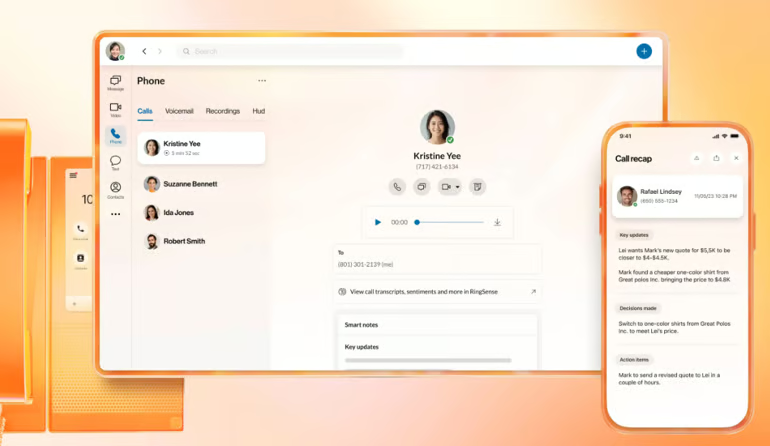
For businesses seeking a truly unified communication solution that scales seamlessly, I highly recommend RingCentral. Its entry-level offering already provides powerful call flow management with a multi-level auto attendant and IVR, alongside essential features like call queues, recording, visual voicemail, and shared lines. The dedicated local or toll-free number for each user is a professional necessity.
Beyond the robust phone system, RingCentral excels with its extensive team collaboration suite. You’re equipped with unlimited video conferencing and advanced features that drive productivity, including AI meeting insights, live transcriptions, whiteboarding, collaborative notes, and breakout rooms. For sales organizations looking to gain a competitive edge, optional add-ons like Conversation Intelligence and the AI receptionist provide the support you need to optimize performance.
Take a look at our full RingCentral review for more details.
Pricing
RingEX business phone plans
- Core: $30/user billed monthly, $20/user/month billed annually
- Advanced: $35/user billed monthly, $25/user/month billed annually
- Ultra: $45/user billed monthly, $35/user/month billed annually
- Customer engagement bundle: Contact sales for pricing
Features
- Unlimited domestic calling
- AI meeting insights and live transcription
- Call recording
- Multi-level IVR
- Team messaging and file sharing
- Video conferencing and breakout rooms
- Customer support: 24/7 phone and live chat
- Virtual fax: On select plans
- Single Sign-On (SSO)
- Business SMS and MMS
Pros and cons
| Pros | Cons |
|---|---|
| Secure network, reliable company, and long-time player in the communications space | Need to upgrade or purchase add-ons to access the most advanced features |
| All plans include key business phone service features and messaging | Deployment may be slower than other options |
| Excellent team collaboration and AI tools included across plans | Limited SMS messaging across plans |
Nextiva: Best for customer experience management

Nextiva stands out as an excellent, versatile choice suitable for nearly any business. However, where Nextiva truly distinguishes itself is in its focus on customer engagement. While it provides robust business phone and call center services, Nextiva is actively redesigning its platform’s core to empower businesses to connect with their customers where they are most active in today’s digital landscape.
Why I chose Nextiva
Nextiva not only delivers the best analytics for customer experience, but it also excels in ease of use. From an administrative perspective, the initial setup and deployment are incredibly straightforward. You can onboard new users in just a few clicks, and they can start using Nextiva on their existing computers and smartphones immediately, eliminating the need for costly new hardware.
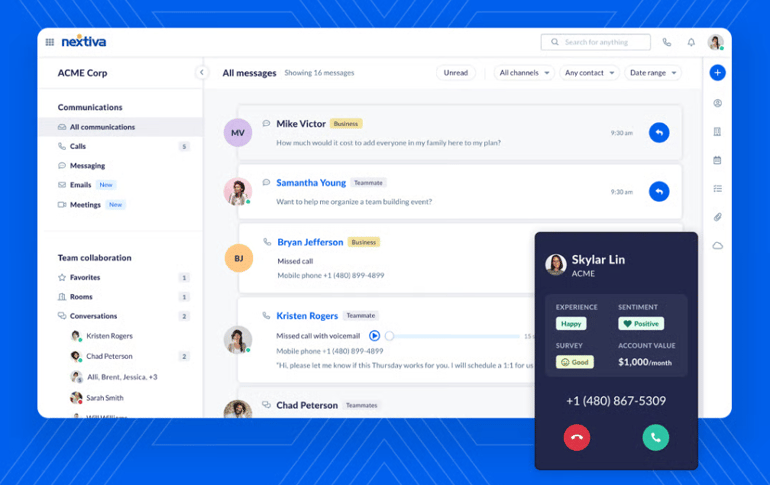
Nextiva offers a comprehensive dashboard that centralizes essential features like handling calls, messaging teammates, and reviewing faxes all on one screen. Its standout feature is the integration of social media accounts and review sites within the platform, enhancing employee responsiveness and consolidating customer data into a unified system.
Check out our Nextiva review to learn more.
Pricing
- Core: $23/user billed monthly, $15/user/month billed annually
- Engage: $50/user billed monthly, $25/user/month billed annually
- Powersuite: $75/user billed monthly
- Nextiva also offers contact center subscriptions with multiple pricing options, starting at $75/agent/month, and access to an AI receptionist starting at $99/month.
Digital plans do not include inbound/outbound voice. Online fax, live chat, and chatbot channels are add-ons with Core plans.
Features
- Unlimited calling in North America
- Unlimited audio and video conferencing
- Social media management
- Group email inbox
- Online review management
- Xbert AI receptionist
- Voicemail with AI transcription
- Call metrics dashboards
- Team messaging
- Free number porting
Pros and cons
| Pros | Cons |
|---|---|
| All-in-one platform for voice, video, and collaboration | Toll-free minutes are not included in the base plan |
| Tools for customer engagement and online reputation management | Pricing can be confusing for add-ons |
| Easy to use in remote, hybrid, and traditional office environments | Need to upgrade for most integrations |
Ooma: Best for teams that prefer traditional desk phones

Ooma is a straightforward business phone system that works best in traditional office environments, especially if your team prefers desk phones to smartphones and computers. Everything about Ooma is built to support the needs of small businesses; it’s easy to use, and Ooma comes with plenty of features that won’t make your head spin.
Why I chose Ooma
When reviewing business phone systems, I often choose Ooma as the standout provider for businesses looking to switch from a landline to a VoIP phone system. You can even keep your existing phones, and Ooma will work with plug-and-play adaptors. And if you do want to purchase new phones, all of Ooma’s hardware is pre-configured out of the box, so there’s no complex setup or need for IT support.
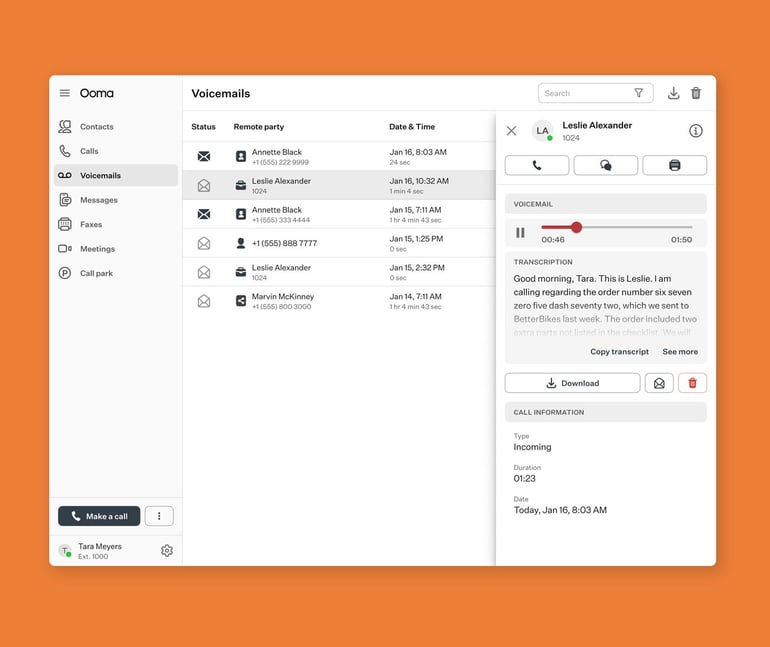
At the same time, I find that the calling features are somewhat limited compared to other phone systems on the market. But, for small teams that just want a phone that works well, I believe Ooma is sufficient. Plus, Ooma comes with the tools you need to handle in-office communication, like intercom, overhead paging, a company directory, extension dialing, and transfers.
Learn more about all of its services in our Ooma review.
Pricing
- Essentials: Starts at $19.95 per user per month.
- Pro: Starts at $24.95 per user per month.
- Pro Plus: Starts at $29.95 per user per month.
- Enterprise: Customizable solution; Contact sales for pricing.
Features
- Unlimited calling in the US, Canada, Mexico, and Puerto Rico
- Virtual receptionist
- Extension dialing.
- Ring groups
- One DID per user
- Free local or toll-free number
- Free number porting
- Call forwarding and simultaneous ring
- 24/7 access to customer care agents
- Virtual fax: Unlimited
- Desktop and mobile apps
Pros and cons
| Pros | Cons |
|---|---|
| No contracts for small business phone service | Conference calling is capped at 10 participants on the Essentials plan |
| More than 50 standard business phone features are included | No call analytics on the entry-level plan |
| Comprehensive call administration with access to office phone devices | Need to upgrade for basic features like texting, video conferencing, and call recording |
8×8: Best for global contact centers

8×8 is an enterprise-grade UCaaS and contact center solution that’s highly customizable. However, it’s not designed to fly off the shelf and work for anyone. Once deployed, 8×8 is a great option for businesses with a global reach looking to reduce the number of applications they use to communicate.
Why I chose 8×8
In contrast to the small-business tools offered by providers like Ooma, I’d recommend 8×8 because you get a system built to handle your specific needs and tech stack. It’s going to take some time and testing to get it right, but you won’t have to compromise on capability.
Specifically, I like that 8×8 supports audio and video conferences with up to 500 active participants. You’re also getting team chat, SMS/MMS messaging, and all the features I’d expect from a powerhouse business phone system. Hot desking, multi-level auto attendant, presence detection, call queues, live streaming via YouTube, interactive meetings, unlimited internet fax, and CRM integrations are all entry-level features that I think make 8×8 a strong choice.
To learn more about its features, service, and capabilities, read our in-depth 8×8 review.
Pricing
- Contact sales for pricing on contact center solutions or unified communications subscriptions.
Features
- Global presence in 55+ countries
- High-volume SMS/MMS messaging
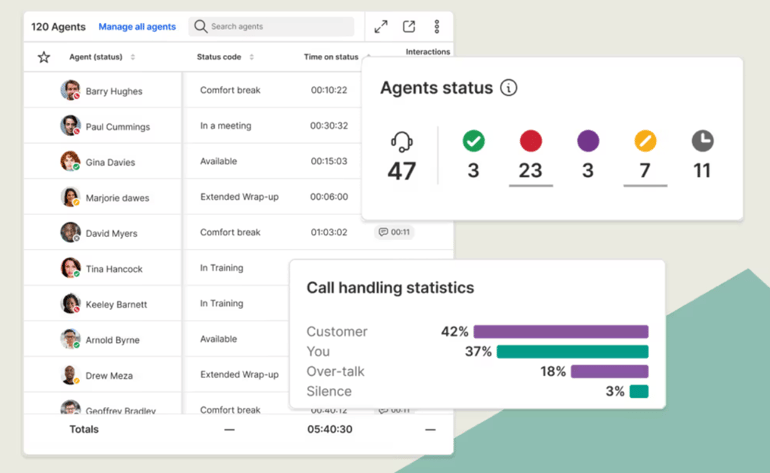
- Call analytics and reporting
- 8×8 for Microsoft Teams service bundle
- Team chat and collaboration tools
- Receptionist console
- No-code integration
Pros and cons
| Pros | Cons |
|---|---|
| Mix-and-match plan types, so each user only pays for what they need | Complex setup and licensing |
| No-code CPaaS to connect more channels | Not great for small teams or domestic-only calling |
| Plans to support remote, hybrid, and traditional call centers with built-in unified communication tools | Need to request a quote for pricing |
Dialpad: Best for sales teams

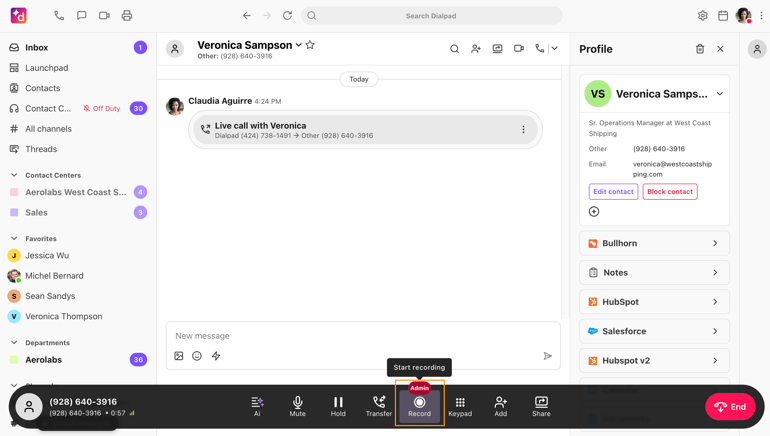
Dialpad delivers unlimited calling, texting, and team collaboration under one roof. Similar to other tools on my list, it’s great for inbound call handling, outbound dialing, and team meetings. But Dialpad really stands out for the way it’s integrating AI into nearly every feature. While AI is starting to creep into the way all business phone systems are powered, Dialpad is definitely leading the pack.
Why I chose Dialpad
For sales teams that need a business phone system, I recommend Dialpad. It’s easy to use, affordable, and can be deployed in minutes. I also find it highly versatile and feature-rich. Real-time AI-generated transcripts are available on every plan, which I think is a nice perk for such a low entry-level price. As you upgrade your plan tier, you gain access to even more AI capabilities, including advanced automation.
Additionally, Dialpad’s sales-specific contact center packages, while pricier than its base platform, offer features such as power dialers, AI-generated notes, and live AI assistance. I believe these tools help sales reps stay informed, close more deals, and minimize time spent on administrative tasks.
Take a look at the full Dialpad review if you want to learn more.
Pricing
- Standard: $27/user billed monthly; $15/user/month billed annually
- Pro: $35/user billed monthly; $25/user/month billed annually
- Enterprise: Contact sales for pricing
- Dialpad also offers a contact center solution and sales solutions with AI-powered features that benefit teams across the organization.
Features
- Unlimited calling
- SMS/MMS and team messaging
- AI-powered call transcripts
- Multi-level auto attendant
- Call recording
- Virtual fax: $10 add-on
- QoS reports
Pros and cons
| Pros | Cons |
|---|---|
| Modern platform with powerful AI and automation features | Phone extensions are enterprise only |
| Dedicated plans to make sales teams more productive | Meetings are limited to 150 participants |
| Custom call routing and ring groups | Limited integrations |
Zoom Phone: Best for low-volume calling

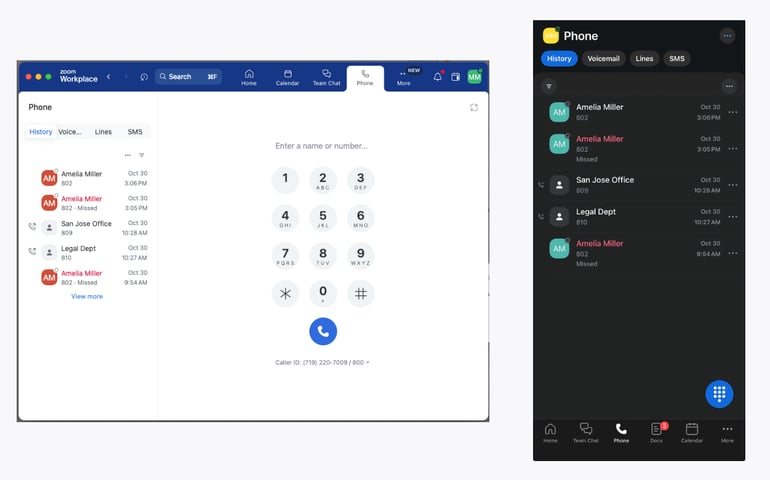
All the business phone systems on my list offer unlimited calling; Zoom Phone offers this too, but you can also opt for metered rates if you’re a low-volume user. This is a great way to save money if the average user spends less than eight minutes on outbound calls each day.
Why I chose Zoom Phone
Zoom is often one of my top picks for video conferencing, but it can also be a cost-effective business phone system if you already use it for meetings. This is because Zoom Phone allows you to mix and match plan types. For example, Zoom Phone is a great option if you need a phone system to accommodate 25 users, but only five make many calls, while the others barely touch the phone.
You can easily set up your system so that those five users are on an unlimited calling plan, while your low-volume users pay less under metered billing. All plans come with call recording, hot desking, and virtual fax, which are normally reserved for mid-level plans or higher, making Zoom Phone the affordable option for budget-conscious teams.
Check out our full Zoom Phone review for more details.
Pricing
- US & Canada Metered: Starts at $10.50/user/month billed annually
- US & Canada Unlimited: Starts at $16/user/month billed annually
- Global Select: $20/user billed monthly
- Users can also choose one of the Plus plans, which offer a combination of Zoom Workplace + Phone subscription, starting at $20.50/user/month when billed annually.
Features
- Standard call administration
- Multi-level IVR
- Toll-free numbers
- Call recording
- SMS, MMS, and team messaging
- Desktop and mobile apps
- Hot desking
- Voicemail with transcription
- Live monitoring, whisper, and barge
- Customer support: 24/7 phone and live chat
Pros and cons
| Pros | Cons |
|---|---|
| Low price for voice communication and video conferencing | Workplace integrations are only available with a Plus+ plan |
| Offers both metered and unlimited domestic calling | International calling is limited compared to other providers |
| An AI companion with post-call summaries and voicemail prioritization | Limited team collaboration tools |
Vonage: Best for custom in-app calling solutions

Vonage offers a basic unified communications system with unlimited calling, SMS/MMS messaging, voicemail, and a virtual receptionist, and the ability to handle calls from your smartphone or desktop computer. But these plans are pretty limited, and you’ll need to upgrade to access team collaboration features. Once you reach that price point, you get a much better, fully featured phone system for the same rate or less.
Why I chose Vonage
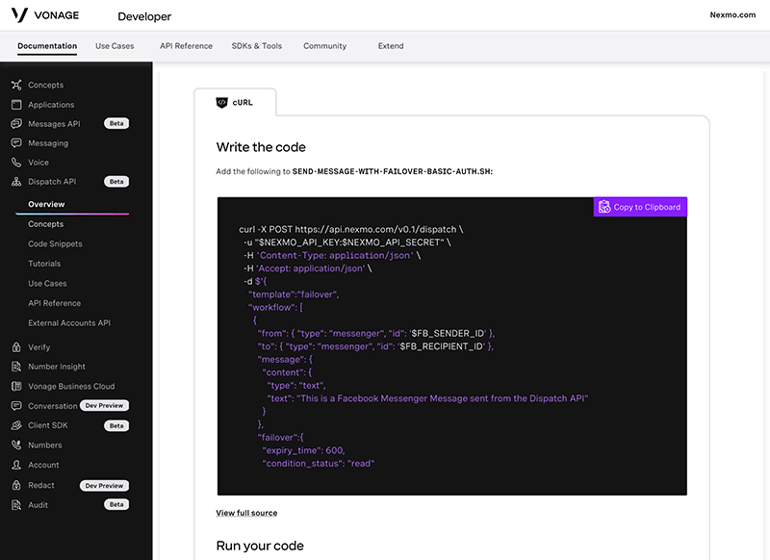
While Vonage’s standard phone system is less competitive, I recommend its standalone communication APIs as a robust solution for integrating calling capabilities into an existing software ecosystem. For example, the Vonage Video API facilitates the creation of virtual video meetings or appointment options directly within our company’s website or mobile application. Additionally, the Voice API enables the addition of global calling functionalities to these platforms.
At the same time, leveraging these APIs requires dedicated development resources, which may pose a challenge for smaller or less technically advanced teams. However, the flexibility and power of the Vonage APIs enable essentially unlimited customization of business communications, including advanced features such as global identity verification and validation. For businesses focused on building tailored communication solutions, I find the Vonage API platform highly versatile.
Learn more about their pros, cons, mission, and services in our Vonage review.
Pricing
- Mobile: Starts at $13.99 per line per month, billed annually
- Premium: Starts at $20.99 per line per month, billed annually
- Advanced: Starts at $27.99 per line per month, billed annually
Features
- Unlimited calling
- SMS and MMS
- Voicemail
- Virtual receptionist
- Mobile and desktop apps
- Customer support: chatbot (available during limited hours for live agents)
- Virtual fax: $14.99 add-on
Pros and cons
| Pros | Cons |
|---|---|
| Access to APIs and third-party integrations for custom needs | No team collaboration features on the entry-level plan |
| Virtual receptionist available across all plans | Limited calling features |
| Bring your own device (BYOD), including desk phones | A la carte features can add up fast |
Quo: Best for startups
Quo, formerly known as OpenPhone, is an AI-powered phone system for small teams that’s lightweight, modern, and effortless to deploy. It’s an ideal choice for startups because it blends simplicity with powerful features that enhance team communication. With affordable pricing, Quo also keeps costs manageable while offering accessible tools for small teams.
Why I chose Quo
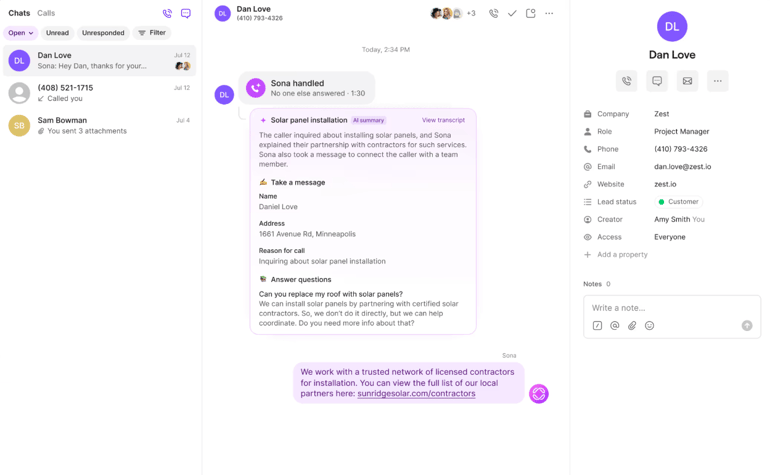
Quo finishes out my list of the best business phone services because businesses don’t always need complex call administration features. Quo offers a user-friendly interface, with shared inboxes, built-in contact management, team collaboration tools, and unified calling and texting in one place
Startups can easily add numbers, automate workflows with AI features like Sona, and collaborate across shared threads so customers always feel heard. With integrations into CRMs like HubSpot and Salesforce and a focus on fast onboarding, Quo is my top choice for startups and small businesses looking to scale while keeping customer communication seamless and straightforward.
Pricing
- Starter: $19 per user month, billed monthly; $15 per user/month, billed annually
- Business: $33 per user month, billed monthly; $23 per user/month, billed annually
- Scale: $47 per user month, billed monthly; $35 per user/month, billed annually
Features
- Unlimited calling and texting in North America
- Call recording
- Voicemail transcripts
- Scheduled messages
- Free local or toll-free number
- Customer support: Standard
- Web, desktop, and mobile apps
- Automated SMS messaging (Add-on)
Pros and cons
| Pros | Cons |
|---|---|
| Supports high-volume texting and automated campaigns | Priority support is available only for Scale plans |
| Add the Sona AI agent to answer calls 24/7 | Limited integrations compared to other providers |
| Metered rates for international calling and texting | Setup can be difficult for new users |
Best business software
- Blackpoint Cyber vs. Arctic Wolf: Which MDR Solution is Right for You?
- SS&C Intralinks DealCentre AI vs. Datasite: Which platform is built for the future of dealmaking?
- Unified by Design: The Smart Stack Advantage of NinjaOne and Microsoft Intune
- Still Not Backing Up Microsoft 365 Data? Here’s Why That’s a Risky Move
- Verito vs. Rightworks: Which IT Provider Is Best for Your Firm?
How do I choose the best business phone service provider for my business?
First, I recommend thoroughly assessing your entire organization’s business needs. It’s crucial to consider everyone who will use the phone system or be involved in the call flow. Take the time to thoroughly gather information on system requirements and the desired capabilities. Following this assessment, you should choose the phone system type that best aligns with the identified needs.
Broadly speaking, you will have the following options:
- VoIP (Voice over Internet Protocol) is a flexible, internet-based system ideal for businesses seeking cost savings and basic calling features.
- UCaaS (Unified Communications as a Service) expands on VoIP by integrating voice, video, messaging, and collaboration tools into a single platform, making it a strong choice for businesses prioritizing seamless internal communication.
- Unified Communications is a broader term that encompasses both UCaaS and on-premises setups that unify communication channels.
- CCaaS (Contact Center as a Service) focuses on customer engagement, offering tools such as call routing, chat, and omnichannel support to help businesses manage customer service operations.
- CPaaS (Communications Platform as a Service) provides APIs that enable businesses to build custom communication tools into their apps, making it ideal for companies with unique needs or heavy integration requirements.
As you shop around, you will notice that vendors offer some or all of these solutions. You’ll have to assess the strengths and weaknesses of each vendor’s offering. Ideally, you’ll be able to rule out enough potential options to create a shortlist of providers to try or demo.
Once you have tested the software, start to think about costs. It’s really hard to estimate the cost of a VoIP phone system or contact center from a pricing page alone. Providers typically charge setup fees, monthly per-line fees, and additional costs for advanced features.
Don’t forget to factor in the total cost of ownership, including hardware (if applicable), maintenance, and any hidden fees for features such as call recording or CRM integrations.
Methodology
I looked at dozens of business phone services before narrowing down the top eight providers. Each of these top picks was then evaluated using the same criteria, including cost, features, collaboration, and customer service. While basic phone systems are fine for some use cases, I prioritized systems that came with more advanced capabilities.
- Standard and advanced features: Unlimited calling, voicemail, video conferencing, and texting are all standard. Others, like multi-level IVRs, AI-powered automation, and call summaries, are a bit more advanced.
- Customer support: 24/7 phone and live chat support should be the standard, but it’s not. Beyond support hours and channels, I also assessed how helpful each provider’s customer service team is and if they actually solve problems quickly.
- Third-party integrations: You should be able to seamlessly integrate your business phone system with tools such as CRM, ERP, fax systems, cloud storage, and help desks.
- Security and privacy: You shouldn’t have to worry about your calls, messages, or data being intercepted. The best business phone providers have multiple servers and data centers worldwide and regularly audit them. They also offer high-level encryption, a redundant architecture, advanced account management tools, and multi-factor authentication.
- Uptime percentage: Does the provider have an uptime guarantee or SLA? Any technical flaws or infrastructure issues could lead to unplanned outages or downtime.
- Demo or free trial: You should be able to test the system before buying it or committing to a contract.
- Overall cost: I assessed all fees, including per-user costs, installation costs, monthly vs annual pricing, discounts, optional hardware, and more.
Frequently asked questions (FAQs)
What is the best business phone service for small businesses in 2026?
The best business phone service for small businesses in 2026 typically offers a balance of affordability, ease of use, and essential features like call routing, voicemail, and mobile apps. For this list, I chose RingCentral, Nextiva, and Zoom Phone as great options for their scalability and strong customer support.
How much does a business phone service cost in 2026?
Business phone service pricing in 2026 typically ranges from $15 to $45 per user per month, depending on features and provider. Basic plans include calling and texting, while higher-tier plans add advanced analytics, AI features, integrations, and international calling.
Can a business phone service work with my existing devices?
Yes, most business phone services support desk phones, mobile devices, and computers. Many providers offer softphone apps that let employees make and receive calls from smartphones or laptops, making remote and hybrid work easier to manage.
What features should I look for in a business phone service?
Key features to look for in a business phone service include auto attendants, call forwarding, voicemail transcription, team messaging, CRM integrations, call recording, and analytics. Growing businesses may also benefit from AI-powered tools, shared inboxes, and unlimited texting options.