


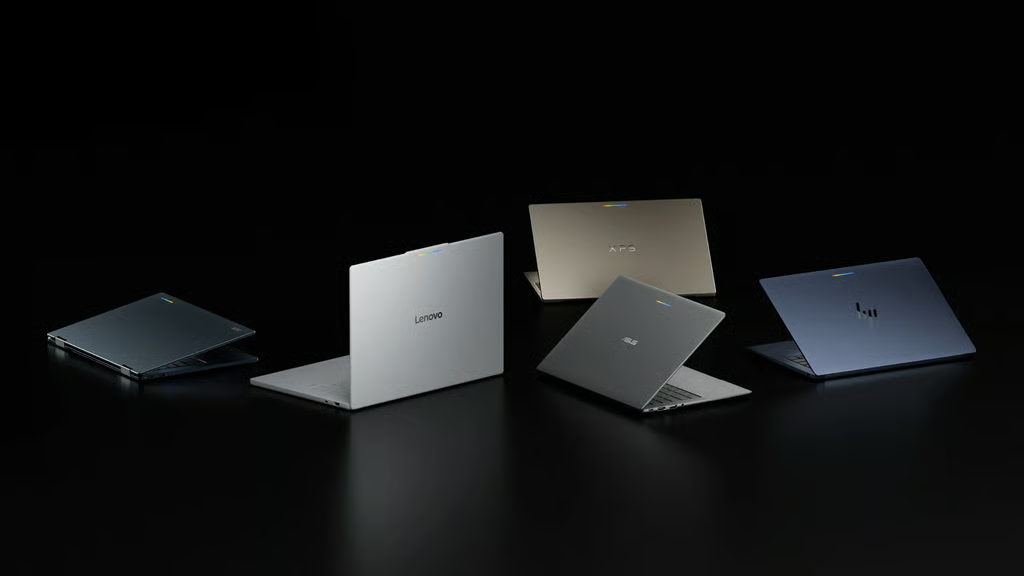
Samsung Galaxy owners can finally access Googlebook’s cross-device features after an early compatibility problem left them unable to connect their phones to Google’s new laptops.
In an Oct. 10 announcement, Google confirmed that its Better Together features are rolling out to Samsung Galaxy phones running One UI 9.0, based on Android 17. The update enables phone app casting, file access, notification syncing, and cross-device task continuity on compatible devices.
The expansion addresses a launch limitation that prevented Galaxy owners from using features advertised as part of Googlebook’s Android-focused experience. For Samsung users considering the platform, the update removes an important compatibility obstacle, though some functionality remains subject to software requirements and is rolling out gradually.
What Samsung Galaxy owners can do with Googlebook
Google’s Better Together integration includes four features designed to connect compatible Android phones with Googlebook laptops:
- Continue On: Users can resume supported phone activities on Googlebook through a taskbar suggestion. Depending on the application, selecting the suggestion can open an installed laptop app, a webpage, or the phone app through Cast My Apps.
- Cast My Apps: Users can access and interact with compatible Galaxy phone apps directly from Googlebook. Some apps containing sensitive information or copyright-protected content are excluded, and only a limited number of phone apps can be cast simultaneously.
- Quick Access: Users can access supported files stored on their Galaxy phones through Googlebook’s Files app. They can open, copy, transfer, and manage those files, although opening a file from the phone’s folder automatically downloads it to Googlebook.
- Notification Sync: Users can view and open supported Galaxy phone notifications on Googlebook. The feature must be enabled manually, and certain notifications, including media controls, silent alerts, and some system notifications, will not sync.
These capabilities are central to Google’s broader laptop strategy. As TechRepublic explained in its Googlebook vs. Chromebook comparison, the new platform emphasizes Android app support, Gemini integration, and deeper smartphone connectivity.
TechRepublic’s earlier coverage of Google’s Gemini-focused laptop platform also explored how Googlebook combines Android functionality with AI features. The latest change expands access to those capabilities rather than introducing an entirely new set of features.
Google also announced improvements to the initial setup process.
A Google Play Services update is rolling out to reduce the steps required to configure cross-device services. It is also intended to address a problem in which the setup QR code remains visible after users complete phone pairing.
Google began rolling out the updates on Oct. 10, saying they would arrive automatically over the following days through Google Play and background services. The company said devices connected to Wi-Fi and charging would receive the updates fastest.
What Galaxy owners should know before connecting
Samsung users need a compatible Galaxy phone running One UI 9.0, based on Android 17. Googlebook owners should also ensure their laptops are running the latest available version of Googlebook OS.
Not every Galaxy phone is eligible. Samsung devices must run One UI 9.0, based on Android 17, and meet Google’s compatibility requirements. Galaxy phones that do not support One UI 9.0 will not qualify for the integration, while eligible devices may need to wait until Samsung delivers the required update.
According to Google’s cross-device services documentation, users should check several requirements before attempting to connect their devices:
- Both devices should have Wi-Fi and Bluetooth enabled and be connected to the same Wi-Fi network or personal hotspot. The network must support Multicast DNS (mDNS) for cross-device features to work.
- Both devices must share at least one Google Account. For troubleshooting, Google recommends signing in with the same primary personal account on both devices.
- Cross-device services must be enabled on both devices, and their Google apps should be up to date.
Google also says users should have Google Play services version 26.37 or higher and Cross-device services version 1.0.1346 or higher. Both devices should be restarted after updating.
Network settings can affect the pairing process. Google recommends using a private home Wi-Fi network during setup because public, office, and guest networks may block direct connections between devices. VPNs and DNS blockers can also interfere with pairing.
On a compatible Galaxy phone, users can find Cross-device services under Settings > Google> All services. Google’s documentation also recommends searching the Settings app for Cross-device services if the option is difficult to locate.
From there, users can enable supported features, including task continuity. Some capabilities may require additional setup or permissions.
Google’s rollout is gradual, although some Samsung Galaxy owners have already reported that Better Together features are working following the updates. Availability remains limited to compatible devices running One UI 9.0, which has not reached Samsung’s entire phone lineup.
What Samsung support means for Googlebook users
Samsung compatibility strengthens one of Googlebook’s biggest selling points: the ability to use a smartphone and laptop as parts of the same workflow.
For Galaxy owners, features such as Quick Access and Continue On could reduce the number of steps required to move files or resume work across devices. Someone reviewing a document on a phone, for example, may be able to continue a supported activity on Googlebook without manually reopening it.
However, deeper phone integration does not automatically make Googlebook suitable for every workplace.
Organizations considering the platform should test application compatibility, account management, device security, and access to business systems before introducing it into their fleets.
TechRepublic’s ChromeOS vs. Googlebook OS comparison provides additional context on software compatibility, enterprise management, and migration considerations.
Businesses should also consider how synchronized notifications, phone files, and app casting interact with their data protection policies, particularly when employees connect personal Galaxy phones to company-managed laptops. Google’s troubleshooting documentation notes that cross-device services are not supported within Android work profiles.
Early Googlebook testing has highlighted some practical concerns. The Verge reported problems with phone connectivity, file sharing, and app casting, suggesting that the experience may still need refinement.
For now, Samsung owners should check their One UI version, install available updates, and confirm that cross-device services are enabled before attempting to pair their devices.
The October rollout expands Googlebook’s appeal beyond its initial phone integrations. Its longer-term success will depend on whether Google can make those connections reliable enough for everyday use.
More Samsung news: For Galaxy owners wondering whether their phones can use Google’s new cross-device features, check out TechRepublic’s Samsung One UI 9 rollout guide to see which devices are receiving Android 17 and how to check for the update.